Multi-currency rates
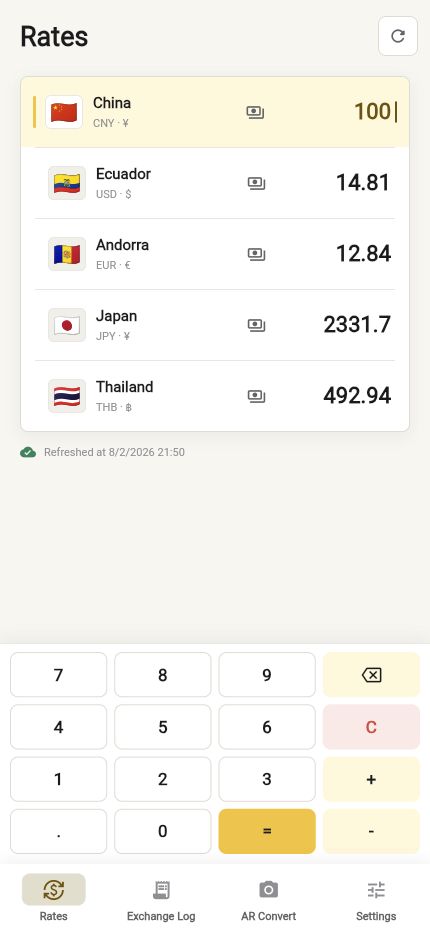
Enter an amount once and compare selected countries and currencies together. Pull down to request the newest available data.

Travel currency companion
Convert currencies, keep the exchange rates you actually paid, and understand prices through your camera while travelling.
Built for real trips
Currency Lens keeps live reference rates, personal exchange rates, and camera conversion in one consistent workflow.
Enter an amount once and compare selected countries and currencies together. Pull down to request the newest available data.
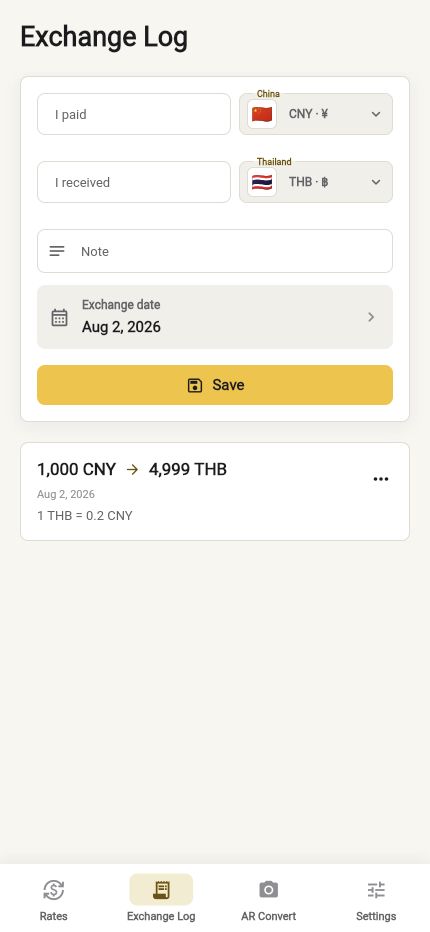
Record what you paid, what you received, the exchange date, and a note. The calculated personal rate can be reused for price conversion.
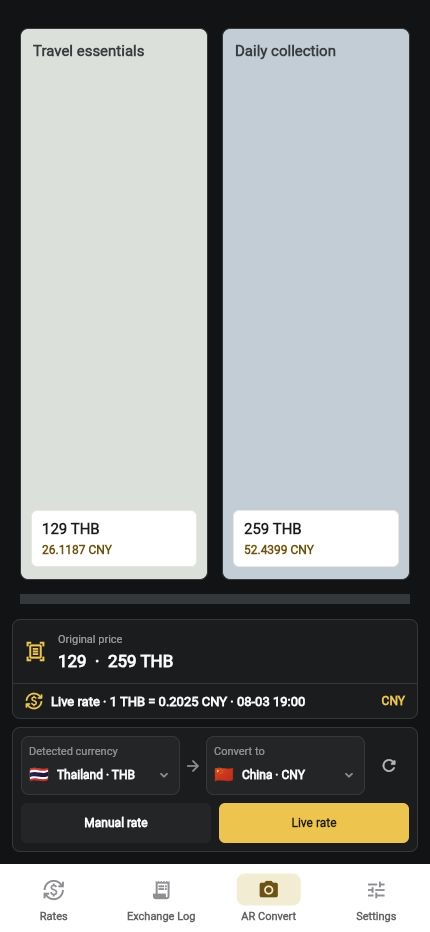
Point the camera at a displayed price and convert it using either the latest available rate or a manual rate from your exchange log.
Your selected currencies, recent amounts, manual rate, and language are saved locally so the app is ready when you return.
Current app screens
These images are captured from the current Currency Lens build.
Privacy by design
Currency Lens does not require a developer account and does not upload your exchange log or camera frames to the developer.
The app contains no advertising SDK and does not sell data or use it for cross-app tracking.
Included access
Rates and exchange logs remain free. Camera price conversion is available through a one-time, non-consumable purchase.
Common questions
No. Rates are reference information and may be delayed or differ from banks, card issuers, payment networks, or exchange providers. Confirm the final amount with the provider completing the transaction.
The app shows the last successfully cached rates and marks them as offline data. A network connection is required only to request newer rates.
No. Camera frames, recognized text, and converted prices are processed on the device and are not uploaded to the developer.
Yes. AR price conversion uses a one-time, non-consumable purchase. Rates and exchange logs remain free, and there is no subscription.